Book Buddy AI is a smart learning tool that helps students understand their textbooks better using AI-powered explanations and summaries. For teachers, it offers ready-made summaries and clarifications that support lesson planning and make teaching easier.
Steps to buy a subscription for Book Buddy AI
Step 1: Go to Snapplify Book Buddy AI
- Open Snapplify Book Buddy AI in your browser.
- Use the drop-down to select your preferred country
Step 2: Choose the book you want to use for Book Buddy AI
- Select Catalogue.
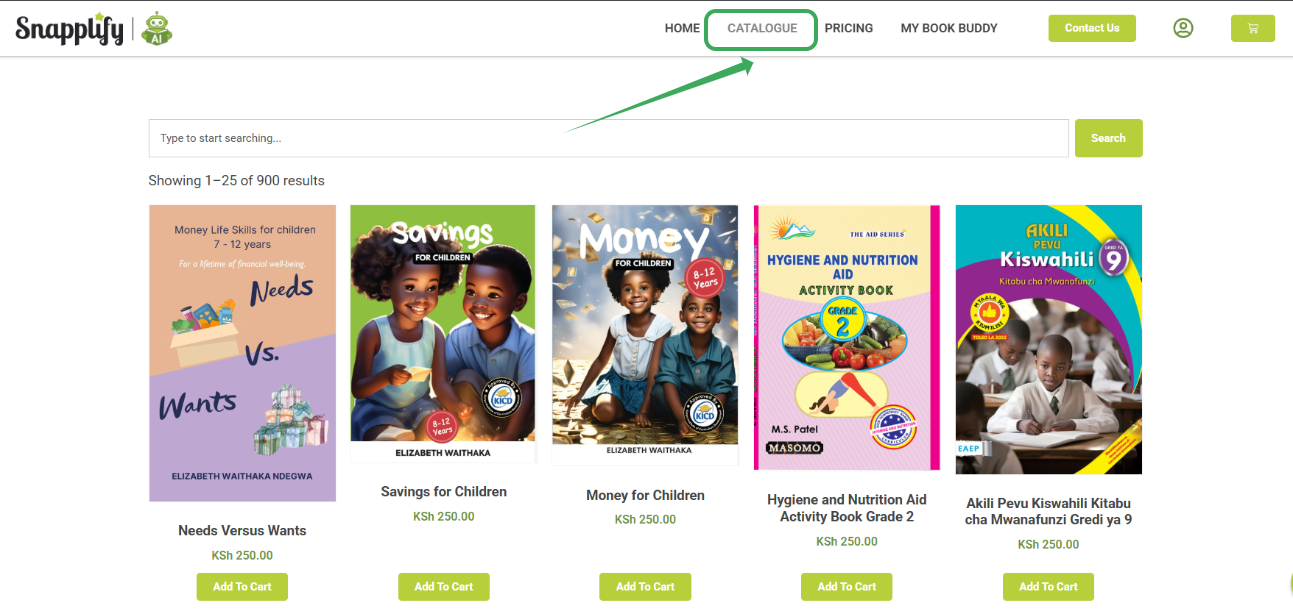
- Locate the subscription you want using the search field.
- For more information about the subscription, choose a book by selecting its cover.

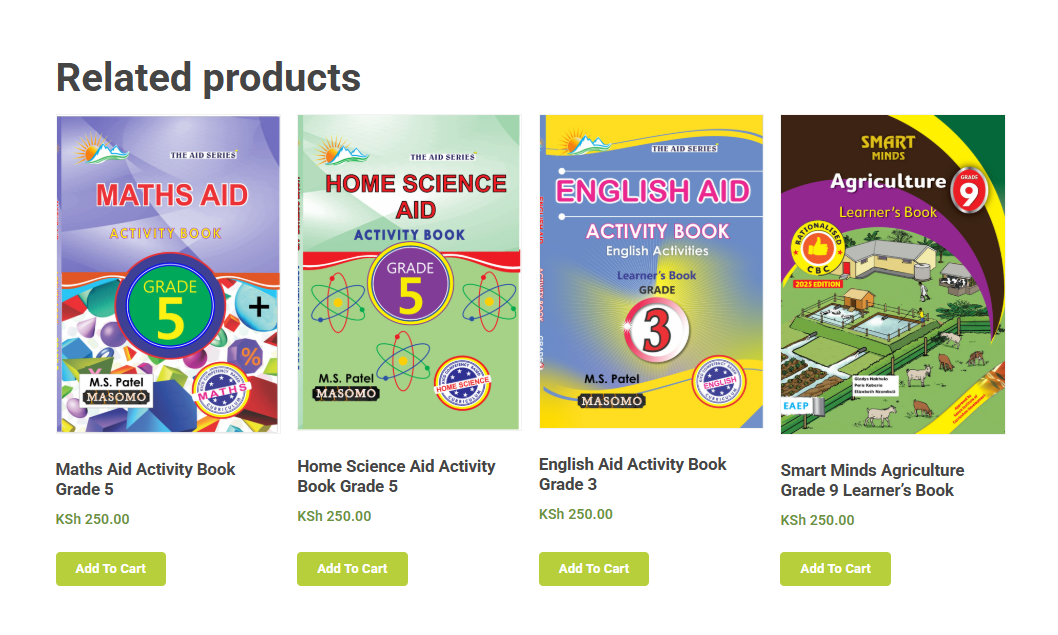
- Scroll down to view similar books in the Related products section.
- On the "Home" page, each publisher's logo will also direct you to their content for convenient browsing. Tap a publisher logo to explore more of their books.

Step 3: Purchase the Subscription
- If the title is available at no cost, use the launch book buddy option to continue straight to Book Buddy.
- For a subscription you wish to purchase, choose ‘Add to Cart’ to add the book to your cart. You can continue browsing and add any additional subscriptions you would like.
- Hover over the "cart icon" to see a summary of the subscriptions added.
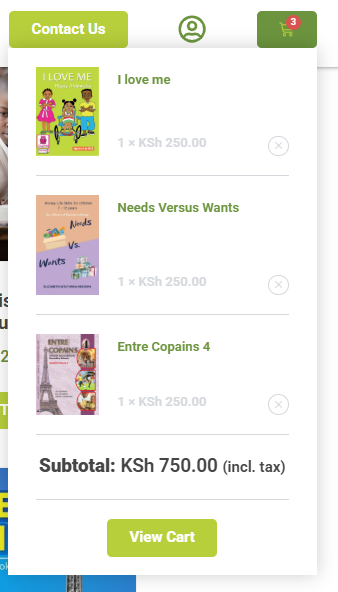
- Once you have completed your shopping, go to your cart and continue to check out.
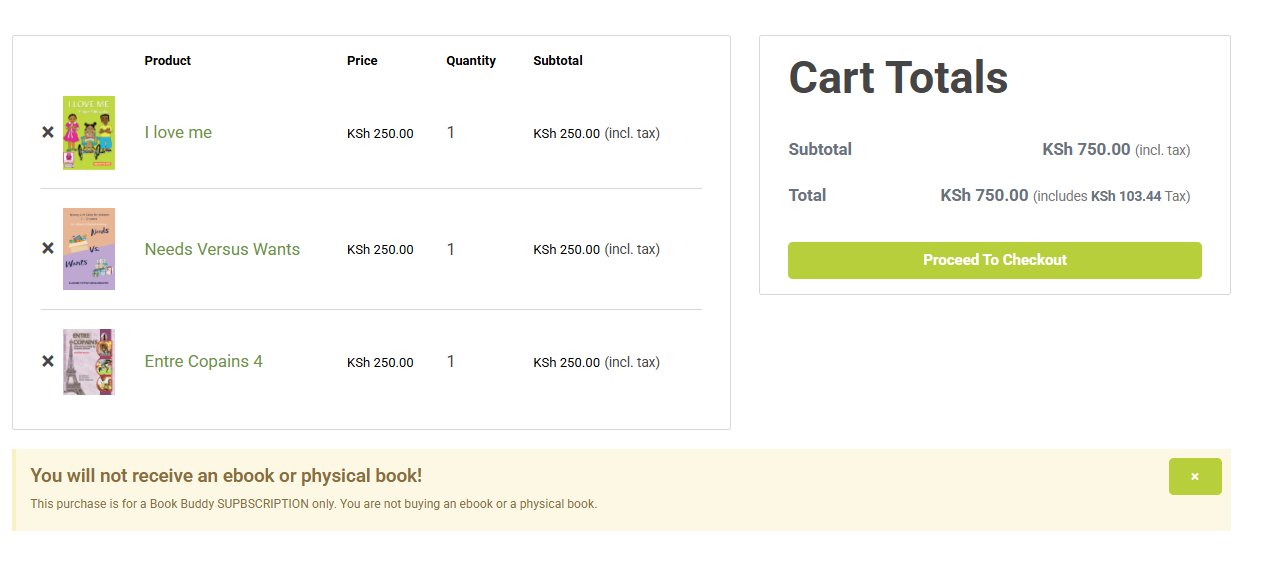
- If you haven't signed in yet, sign in with your Snapplify Account.
- Enter your "Billing Details" and confirm your order.
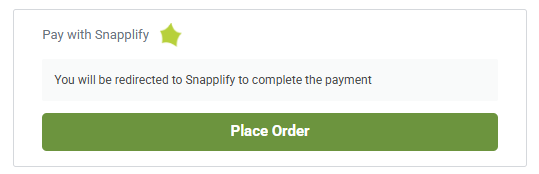
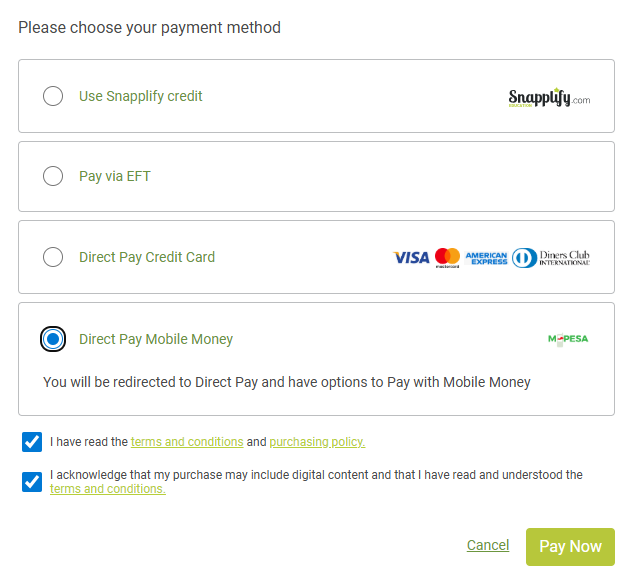
- Choose your payment method and accept T's and C's before finalizing
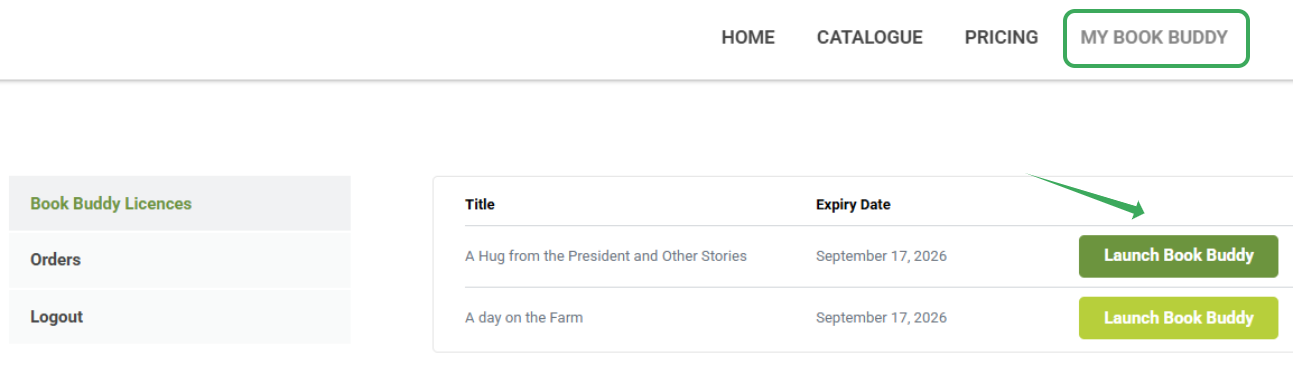
- After placing your order, head over to Book Buddy licenses or Book Buddy AI in the reader.
Troubleshooting Common Issues
Payment failed?
Check your internet connection, try a different payment method, and ensure your card is enabled for online use. If the issue continues, contact support.
Subscription not showing?
Check your Book Buddy Library, log out and back in, or wait a few minutes. If it still doesn’t appear, contact support.
Can’t find Book Buddy AI?
Ensure the book is opened in the Snapplify Reader, and that it’s supported. Update your app or use the latest web version.
Accessible on the Snapplify Reader and Snapplify Engage, it brings 24/7 support, personalised learning, and multilingual assistance to every learner. To access all of your previously purchased subscriptions you can login to "My Account"

Need help? Email us at help@snapplify.com or reach out via Whatsapp +27 60 011 8065.


